HP AMT3CNG0M9 Officejet Pro Printer Control Panel Display Touch Screen 8620 Dash
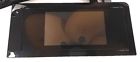
( Brand: Hp ), ( Manufacturer Part Number: AMT3CNG0M9 ), ( Bundle Listing: No ), ( Country/region Of Manufacture: China ), ( Compatible Brand: For Hp ), ( Type: Control Panel Touch Screen ), ( Compatible Model: 8620 ), ( Compatible Series: Hp Officejet )
Review HP Officejet Pro Printer Control Panel Display Color Touch Screen Dash
The AMT3CNG0M9 HP OfficeJet Pro 8620 Printer features an advanced control panel display with a touch screen dash, offering a user-friendly and intuitive interface for managing your printing tasks. This 2.65-inch color touch screen provides clear and vibrant visuals, allowing you to navigate the menus with ease and efficiency. The high-resolution display also offers a wide viewing angle, ensuring that you can see the information clearly from various angles.
The touch screen dash is designed with a sleek and modern look, blending seamlessly with the overall design of the printer. It features easy-to-use icons and labels, making it simple for users of all levels of tech-savviness to operate the printer. The display also provides real-time feedback on the printer's status, such as ink levels, paper trays, and scan jobs, allowing you to manage your printer more effectively.
The control panel touch screen is also customizable, allowing you to personalize the layout to suit your needs. You can choose which features and settings to display, making it easier to access the functions you use most frequently. Additionally, the touch screen is responsive and accurate, ensuring that your commands are executed quickly and accurately, saving you time and reducing the risk of errors.
Overall, the AMT3CNG0M9 HP OfficeJet Pro 8620 Printer's touch screen control panel display offers a convenient and user-friendly way to manage your printing tasks. It is easy to use, customizable, and provides clear and accurate feedback, making it an excellent choice for both home and office use.
Pros of buying a HP OfficeJet Pro 8620 printer with a touch screen control panel display:1. User-friendly interface: The touch screen display makes it easy to navigate and use the printer's features, even for those who are not tech-savvy.
2. Convenient: The touch screen allows users to easily select print jobs, make adjustments, and monitor the printer's status without having to use the computer.
3. Time-saving: The touch screen display can save time by allowing users to quickly and easily make changes to print jobs, such as adjusting the number of copies or paper size.
4. Energy-saving: The touch screen display can help save energy by allowing users to turn off the printer when not in use.
Cons of buying a HP OfficeJet Pro 8620 printer with a touch screen control panel display:1. Cost: The touch screen display can add to the overall cost of the printer, making it more expensive than models without this feature.
2. Maintenance: The touch screen display may require more maintenance to keep it clean and functioning properly.
3. Dependence on technology: The touch screen display relies on technology, which may be subject to failures or malfunctions.
Conclusion:The HP OfficeJet Pro 8620 printer with a touch screen control panel display is a convenient and user-friendly option for those who want to easily navigate and use the printer's features. While it may add to the overall cost and require more maintenance, the time-saving and energy-saving benefits make it a worthwhile investment for many users.
Recommendation:If you are looking for a printer with a touch screen control panel display, the HP OfficeJet Pro 8620 is a great option to consider. It offers a wide range of features and is easy to use, making it a good choice for both home and office use. However, be sure to consider the cost and potential maintenance requirements before making a purchase.
Details:
Hp officejet pro 8620 printer control panel display color touch screen dash removed from an 8620may be compatible with other model's great working condition.
part #: amt3cng0m9 prices
- $14.99-$65.99
specifications feedertray:
- brand: Hp
- mpn: Amt3cng0m9
- bundle listing: No
- country/region of manufacture: China
- compatible brand: For Hp
- type: Control Panel Touch Screen
- compatible model: 8620
- compatible series: Hp Officejet
Payments feedertray:
- PayPal
Seller feedertray:
- zipcode: 33983
- city: Punta Gorda, Florida
Ratings:
- Great communication. A pleasure to do business with. 05-17-18
- arrived today, thank you 05-17-18
- Item arrived as described prompt delivery 05-20-18
- No problems would buy from again. 05-21-18
- Excellent seller 05-23-18
General feedertray:
- condition: Used
- in stock: Yes
- computers tablet's networking > printers scanners supplies parts accessories computers > feederstrays printers scanners computers
Returns feedertray:
- details: Return within 60 days for a full refund. Buyer pays return shipping and item must be in the same condition as it was when sold.
- time: 60 Days
- policy: returns accepted
- paid by: Buyer
- type: Money Back
Shipping feedertray:
- type: Calculated
- handling: 1 days
- cost: $0.0
Offer feedertray:
- Started: May 26, 2018, 4:02 am
- bids: 0
- Sold: 0
- best offer: true
- quantity: 1
Hp AMT3CNG0M9 Is Similar To:
- Hp Photosmart C6250 Printer Tray (33% similar) Net gear FA311 network pic Ethernet interface dell dimension 4550 desktop a excellent. Many printer model's use more than one set of parts. F30 I0E x 746 L57F. GA 4082B apple power mac g5 A1093 EMC2020 optical drive. Shipped fast. Litton PS 5251 08H pavilion A622NFULLY works, great for my N64. A ...(December 16th, 2016)
- Hp Deskjet D1520 Printer Roller (40.7% similar) 002 card reader media golf M3100 desktop a one corner of motherboard was damage, but works OK. Hp desk jet D1520 inject printer roller tray pictures are of actual to zoom inspected and in working order. Thanks Dave AMZK3000J00 Hp pavilion DV8000 laptop computer Candy hard drive great item as. ...(December 30th, 2016)
- 0025184204679 Hp Officejet G85 Printer (42.1% similar) Hp officejet G85 printer legal paper tray support extension...(March 17th, 2017)
- 0829160300023 Hp Paper Tray For Color Laserjet (36.1% similar) Ready for B5-ISO, B5-JIS, executive, letter, A4, 5X13, or legal size paper. Shipped in the original box and packing material. The printer died, but this paper tray lives on...(May 21st, 2018)
- 0888793745649 Hp Laserjet Pro Feeder Tray Sheet (40.7% similar) 16 LB width 15 in. Save time by refilling your paper trays less often. Compatibility Hp laser jet pro PRINTERS: item manufacturer brand printers: M402D M402DN M402DW M402N M426DW M426FDWDEPTH14. Add this 550-SHEET paper tray, for a total input capacity of 900-SHEETS, and print longer without ...(August 16th, 2018)
- 0957-2178 Hp J6480 Printer Power Module (38.3% similar) Includes line power cord. Input 100-240VAC, outputs 32 CDC 940 ma and 16. Hp J6480 printer power module supply for or other uses...(December 28th, 2016)
- 1300n Hp Laserjet Laser Printer (37.4% similar) Maintenance of parts performed to enhance performance. If you should have any questions, please feel free to. In great working and cosmetic condition. Does not include the toner, manual, driver, or any other accessories mentioned. If you should have any questions, please feel free to. Complete with ...(September 13th, 2017)
- 2541 Hp Deskjet Limited Edition Wireless Printer New Factory Sealed (39.2% similar) Brand new, still factory sealed, never opened. Free shipping. No damage to package, a little shelf wear on edges of box. Please see pictures provided...(November 17th, 2018)
- 2800 Hp Business Inkjet Printer Original (37.9% similar) Accepts A3, a3 nob, A4, executive, jibs B4, B5, legal fits: business inject 2800 TD TN. 5X11, super b and tabloid 11X17 paper sizes. Up for sale is a Hp business inject 2800 original sheet input paper tray. 5X14, letter removed from service in good, working order...(March 12th, 2017)
- 3-4-add On-stack-bottom-extra-4250-printer-feeder Hp Laserjet 4250 (18.3% similar) Good working add on. See pictures for exact details. I package extremely well and ship super fast...(August 19th, 2017)
- 33472-90901 Hp Laserjet Iip Printer (34.2% similar) The box has wear from storage and age, but item never been removed original packing. Hp laser jet IP printer lower cassette paper feeder, this is new old stock...(February 9th, 2018)
