CANON MX700 Rear Pixma Paper Tray
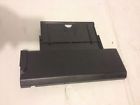
( Brand: Canon ), ( Type: Tray ), ( Compatible Brand: For Canon )
Review CANON Pixma Rear Paper Tray Input
The Canon PIXMA MX700 Rear Paper Tray is an essential accessory for any Canon PIXMA MX700 all-in-one printer user. This rear paper tray expands the paper capacity of your printer, allowing you to load more sheets at once and reducing the need for frequent refills.
The Canon PIXMA MX700 Rear Paper Tray is designed to seamlessly integrate with your printer, ensuring a secure and stable fit. It can accommodate various paper types, including photo paper, plain paper, and specialty media, up to 8.5 inches wide and up to 12 inches long. The capacity of this rear paper tray can vary depending on the paper size you choose, but it generally holds up to 100 sheets of standard A4 paper.
The tray features a slide-out design for easy loading and unloading, making it convenient to use, even for those with limited mobility. The tray is also easily removable for quick and easy cleaning, ensuring your printer remains in top condition.
The Canon PIXMA MX700 Rear Paper Tray is crafted from high-quality materials that are both durable and resistant to wear and tear. It is designed to withstand the rigors of regular use, ensuring it lasts for the life of your printer.
In conclusion, the Canon PIXMA MX700 Rear Paper Tray is an excellent addition to your Canon PIXMA MX700 printer. It increases your printer's paper capacity, offers easy loading and unloading, and is built to last. Whether you're a home user or a small office, this rear paper tray will help you get the most out of your Canon PIXMA MX700 printer.
Pros of buying Canon Pixma MG700 with a rear paper tray:1. Convenience: The rear paper tray allows for easy loading and unloading of paper, especially for larger sheets or heavier paper types.
2. Space Saving: The rear paper tray can save desk space by not needing a separate paper feed on the front of the printer.
3. Versatility: The rear paper tray is compatible with a variety of paper sizes, including letter, legal, and A4.
4. Easy to Install: Canon typically provides clear installation instructions for their rear paper trays, making it an easy upgrade for many users.
Cons of buying Canon Pixma MG700 with a rear paper tray:1. Cost: Rear paper trays can be an additional expense, especially if they are not included with the printer.
2. Limited Capacity: Rear paper trays often have a smaller paper capacity compared to front-loading trays, which may require more frequent paper refills.
3. Limited Accessibility: The rear paper tray may not be as easily accessible as a front-loading tray, which could make it more difficult to load paper quickly or in a pinch.
Conclusion: If you value convenience and space saving, and are willing to pay an additional cost, then a rear paper tray for the Canon Pixma MG700 could be a worthwhile investment. However, if you need a larger capacity or quick access, a front-loading tray may be a better option for you.
Recommendation: If you are considering a rear paper tray, make sure to research and compare prices and capacities from different manufacturers to ensure you are getting the best value for your money. Additionally, consider the specific needs of your printing habits to determine if a rear paper tray is the best fit for you.
Details:
Shipping: most time I will print labels at same day you purchase, and ship it next morning.
part #: mx700 prices
- $14.25-$17.35
specifications feedertray:
- brand: Canon
- type: Tray
- compatible brand: For Canon
General feedertray:
- in stock: Yes
- condition: Used
- computers tablet's networking > printers scanners supplies parts accessories computers > feederstrays printers scanners computers
Payments feedertray:
- PayPal
Ratings:
- Thank you. 02-12-17
- quick response to questions, shipped fast and product as described. Nice ! 02-17-17
- Good computer. 02-13-17
- Works great thanks 02-13-17
- GoodRecommend this 02-17-17
Offer feedertray:
- bids: 0
- Sold: 0
- Started: February 18, 2017, 10:11 pm
- quantity: 1
- best offer: true
Seller feedertray:
- zipcode: 71201
- city: Monroe, Louisiana
Returns feedertray:
- policy: no returns
Shipping feedertray:
- handling: 3 days
- cost: $0.0
- type: Flat
Canon MX700 Is Similar To:
- Canon Pixma Mg5220 Printer Inkjet (53.7% similar) A bonus 4 value. Items should be ordered by part number. Free rush order processing. F30 0:I0E x 880 L65D. Note: please verify compatibility prior to purchase. Canon pixma MG5220 inject printer all in one paper tray pictures are of actual to zoom inspected and working order. Carefully packaged item...(January 15th, 2017)
- 0013803123289 Canon Pixma Mg8120 All-in-one (44.7% similar) Don't hesitate on this rare moment to own a legendary printer. Amazing MG8120 printer works perfect made a copy of Pokemon card and the quality is incredible...(July 31st, 2017)
- 013803109801 Canon3742b002 Aa Canon Pixma (40.5% similar) Purchase two printers, only need one. This is new and unopened. Great printer, I really like mine...(August 10th, 2017)
- 0563c001 Canon 500-sheet Paper Cassette 013803266801 (42.4% similar) Protect your investment by using only genuine Canon products. Atlanta network technologies, inc. The best business machines deserve consumables. That is how we control costs and keep prices are so low. It may be faster or longer as shown in the listing if credit check special handling is required. ...(February 21st, 2018)
- 0563c002 Canon Paper Deck Optional 013803266818 (40% similar) Manufacturers change colors and item details frequently often do not update pictures. The best business machines deserve consumables. Protect your investment by using only genuine Canon products. That is how we control costs and keep prices are so low. Our broad range of high-quality consumables ...(March 6th, 2018)
- 0732a023 Canon Oem Paper Tray 013803108781 (56% similar) Orders usually ship the same day are placed or following...(June 24th, 2017)
- 0732a032 Canon Casette Feeding Paper (49.3% similar) Template condition: new factory sealed the Canon image class optional cassette feeding unit AF-1 offers high quality, reliable paper capacity that helps you keep up with your fast paced business output needs. Refer to the manufacturer for an explanation of print speed and other ratings...(October 3rd, 2017)
- 081353148656 New Paper Feed Pickup Rollers For Canon Pixma (28.6% similar) 2 new paper feed pickup rollers for Canon pixma MX922 printer: included...(July 16th, 2018)
- 083351148775 Canon New Feeder Pickup Roller For Pixma Printer (36.2% similar) New feeder pickup roller for Canon pixma TS6120 printer: - picture is actual item compatible printers...(July 19th, 2018)
- 084351138742 Canon Rear Tray For Pixma Printer (43% similar) Rear tray for Canon pixma TS6120 printer: - picture is actual item compatible printers...(July 19th, 2018)
- 085351130255 Canon New Genuine Paper Tray Pickup Roller Pixma (44.7% similar) New genuine paper tray pickup roller Canon pixma MX492 printer...(February 14th, 2019)
