OKIDATA N31183A Paper Tray 43347608 CX2032MFP 2ND MC560 C5550
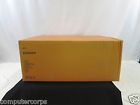
( Brand: Okidata ), ( Manufacturer Part Number: N31183A ), ( Type: Tray ), ( Compatible Model: Mc560, C5550, Cx2032mfp, Cx2033mfp ), ( Total Paper Capacity: 350 )
Review OKIDATA Oem Model 2nd Paper Tray
The Okidata CX2032MFP 2nd Paper Tray (MC560 C5550) is a high-quality accessory designed to enhance the functionality of your Okidata CX2032MFP all-in-one printer. This secondary paper tray, model number MC560 C5550, allows you to load an additional ream of paper, increasing your printing capacity and reducing the need for frequent paper refills.
The tray is made from durable, sturdy materials that can withstand the weight of multiple reams of paper, ensuring long-term reliability and stability. Its design is sleek and compact, fitting seamlessly into your printer without taking up too much space. The tray is also easy to install and remove, with clear instructions included in the packaging.
The Okidata 2nd Paper Tray is designed to work seamlessly with the CX2032MFP, ensuring smooth and efficient paper feeding. The tray can hold a wide range of paper sizes, from A4 to A6, and it also has a manual feed slot for specialty papers.
The tray is also designed with energy-saving in mind. It uses less power when not in use, helping to reduce your energy consumption and lower your electricity bills. The tray is also easy to clean, with a removable catch tray that can be emptied quickly and easily.
In summary, the Okidata CX2032MFP 2nd Paper Tray (MC560 C5550) is a practical and cost-effective accessory that can significantly increase your printing capacity and reduce downtime. Its durable construction, easy installation, and compatibility with a wide range of paper sizes make it a great addition to any Okidata CX2032MFP printer.
The Okidata CX2032MFP you're considering comes with a second paper tray (MC560 C5550) as an additional feature. Let's break down the pros and cons of this purchase.
Pros:1. Dual Tray Capacity: The second paper tray allows for uninterrupted printing, especially when dealing with multiple document types or if you frequently print large volumes of documents.
2. Time Efficiency: The dual tray can significantly reduce downtime, as you won't have to continuously swap out paper trays.
3. Convenience: Having a second tray makes it easier to manage and organize your documents, reducing the chances of misplacing pages or documents.
Cons:1. Cost: The additional paper tray comes at an extra cost, which might be a concern for budget-conscious buyers.
2. Space: The dual tray takes up more space on your desk or in your office, which could be a problem if you're short on space.
3. Complexity: Some users might find the dual tray system more complex to use compared to single tray printers.
Conclusion:If you frequently print large volumes of documents or need to print multiple document types simultaneously, the Okidata CX2032MFP with a second paper tray (MC560 C5550) could be a worthwhile investment due to its time-saving and convenience features. However, consider your budget and available space before making a decision. If you don't print large volumes or if space is a concern, you might want to opt for a single tray printer.
Details:
The only thing wrong with it is network card bad.
part #: n31183a prices
- $30.00-$68.88
specifications feedertray:
- brand: Okidata
- mpn: N31183a
- type: Tray
- compatible model: Mc560, C5550, Cx2032mfp, Cx2033mfp
- total paper capacity: 350
Offer feedertray:
- Started: April 24, 2017, 10:44 am
- quantity: 1
- bids: 0
- best offer: false
- Sold: 0
Seller feedertray:
- zipcode: 67735
- city: Goodland, Kansas
Payments feedertray:
- PayPal
General feedertray:
- condition: Used
- computers tablet's networking > printers scanners supplies parts accessories computers > feederstrays printers scanners computers
- in stock: Yes
Shipping feedertray:
- type: Calculated
- handling: 5 days
Ratings:
- Thank you for an easy, pleasant transaction. Excellent buyer.. 04-14-17
- A 04-21-17
- No shipment, had to cancel order and get refund - but got ful refund promptly 04-20-17
- Perfect in every way. Thank you. 04-04-17
- Buyer is first rate 04-05-17
Returns feedertray:
- policy: returns accepted
- paid by: Buyer
- time: 14 Days
- type: Money Back
Okidata N31183A Is Similar To:
- 44472105 Oki Okidata Optional Paper Tray For Color Mfp 051851305929 (27.7% similar) This listing is for an oki Okidata optional 530-SHEET 2ND paper tray CX2731 mfp color printers. The box was splashed by a bit of water but paper tray is guaranteed to be in perfect, brand new condition. Free shipping within lower 48 states. This comes new in box...(May 8th, 2018)
- 44575713 Okidata Oki Paper Tray 051851307473 (41% similar) Accessories: may be missing some accessories that are not needed for the functionality of product. Packaging: can be repackaged for protection during shipping...(November 28th, 2017)
- 45530101 Okidata Oki Paper Feeder Casters For Printers 051851306681 (33.7% similar) Question: what is a confirmed address. Answer: an that has been reviewed by and found to safe based on information related. Boxes or APO addresses. Charges will apply for all missing parts. New included in the box: oki 2000 -SHEET large-capacity paper feeder packaging: item is securely packaged ...(March 22nd, 2018)
- 45887301 Okidata 535-sheet Tabloid Tray 051851307558 (32.6% similar) ...(September 24th, 2017)
- 50229870 Okidata B6300 150 Page Paper (39.4% similar) Unfortunately the printer died with an internal communications error. This paper tray was removed from an Okidata B6300 printer. The paper tray has never given me a bit of trouble...(March 3rd, 2017)
- 50229935 Okidata B6300 550 Page Paper (39.4% similar) The paper tray has never given me a bit of trouble. You can see from the 5TH photo that front of tray is a bit discolored. Unfortunately the printer died with an internal communications error. This paper tray was removed from an Okidata B6300 printer...(March 3rd, 2017)
- 50231400 Okidata Complete Oem Sheet Lower Paper Input Feeder Unit Asy (36.9% similar) Get business information that counts. Only what is shown included. Thanks shipping options: domestic shipping: weight based charges. Used pull, inspected thoroughly...(November 15th, 2018)
- 50238801 Okidata Complete Oem Paper Feeder Unit Assembly Tested (39.2% similar) Used pull, inspected thoroughly. Get business information that counts. Only what is shown included. Tested unit - pulled from working machine and cleaned, inspected, re certified for dependable daily use by our tech team. Unit was tested prior to parts harvest and determined be working perfectly. ...(November 15th, 2018)
- Cz128 Okidata Oki C5800 Standard Paper Tray 5031713030874 (37.4% similar) For your consideration Okidata oki C5800 standard paper tray pulled from a retired printer...(October 7th, 2016)
- 50911601 Okidata 3 Pcs Paper (45.2% similar) Oem for use in Okidata ML391 printer ML321...(May 29th, 2017)
- 58276500 Okidata Complete Oem Upper Paper Feeder Input Unit Assembly (35.3% similar) Used pull, inspected thoroughly. Get business information that counts. Thanks shipping options: domestic shipping: weight based charges. Only what is shown included...(November 6th, 2018)
